
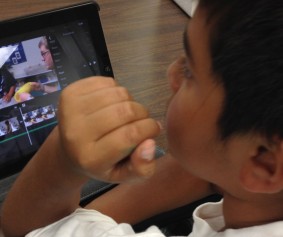
I’ve recommended iMovie for Project Based Learning student archiving in my tweets, blogs, and webinar discussions. With its ease of use and broad capabilities iMovie is a tool for every classroom K-12. I’ve found that students easily understand the interface of iMovie and can make movies literally in minutes. To add expertise for teachers and students I want to share some of my favorite tutorial sites.
Izzy Video promises to get you up and running with iMovie. Handing students an iPad you’ll be up and running. With this tutorial your questions will be answered. As you and your students use iMovie questions will come up. This tutorial has a terrific iMovie Tutorial Contents. Click to play and you will learn something new. I come back again and again to this site.
http://www.izzyvideo.com/imovie-tutorial/
Paul Hamilton uses iMovie in a lesson teaching Narrative. He models uses iMovie to move through this lesson for the instructor. Viewing this repeatedly has helped me master iMovie and allowed me to reference “stuck” areas for my students. I love that he places it in the context of teaching and learning with the authenticity of an authentic lesson plan.
*Note-You can actually meet Paul in person at the ISTE14 MLN/SIGML Mega Share Free Pre-Conference. He is an amazing educator coming to us from the Sunshine Coast, Australia.
Tentytech provides iMovie 10 tutorial: Beginners to Basic for those transitioning from iMovie 9. The new interface looks quite different. This video helps make it make sense.